
How It Works
Whether you have Stack's Bowers Galleries auction history, store items in our SBG Vault or you're new to collecting, our tools allow you to build, import, and manage your collectibles effortlessly in our unified platform.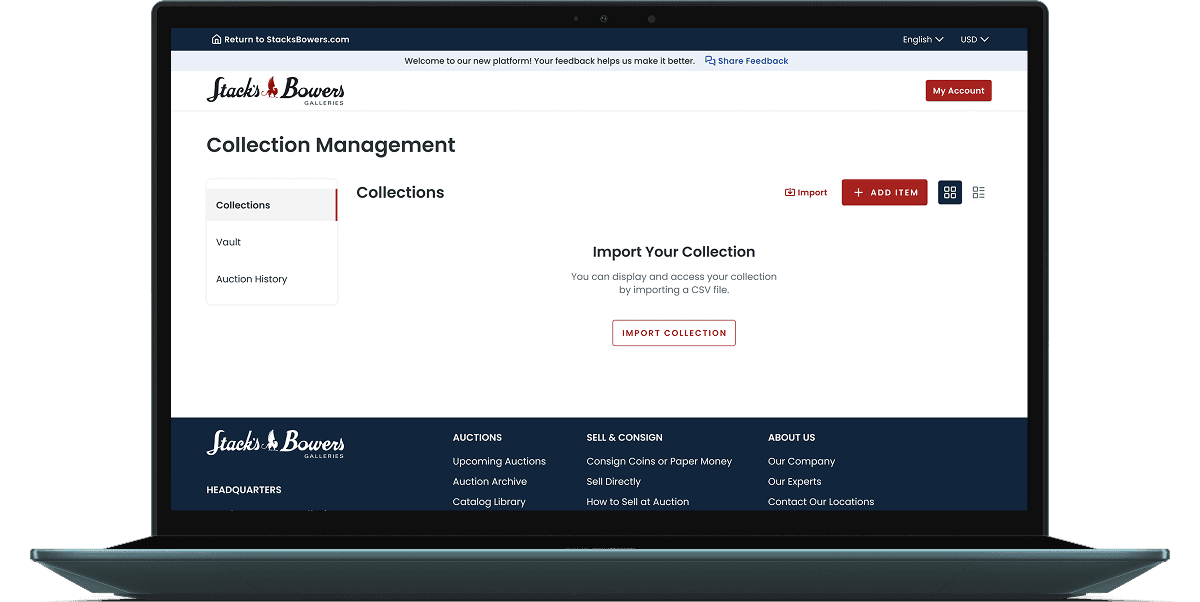
Begin in Your Collection Management Dashboard
Explore and manage your entire collection in one centralized space.
Navigate to My Collections via the My Account dropdown to add items and manage your collection effortlessly.
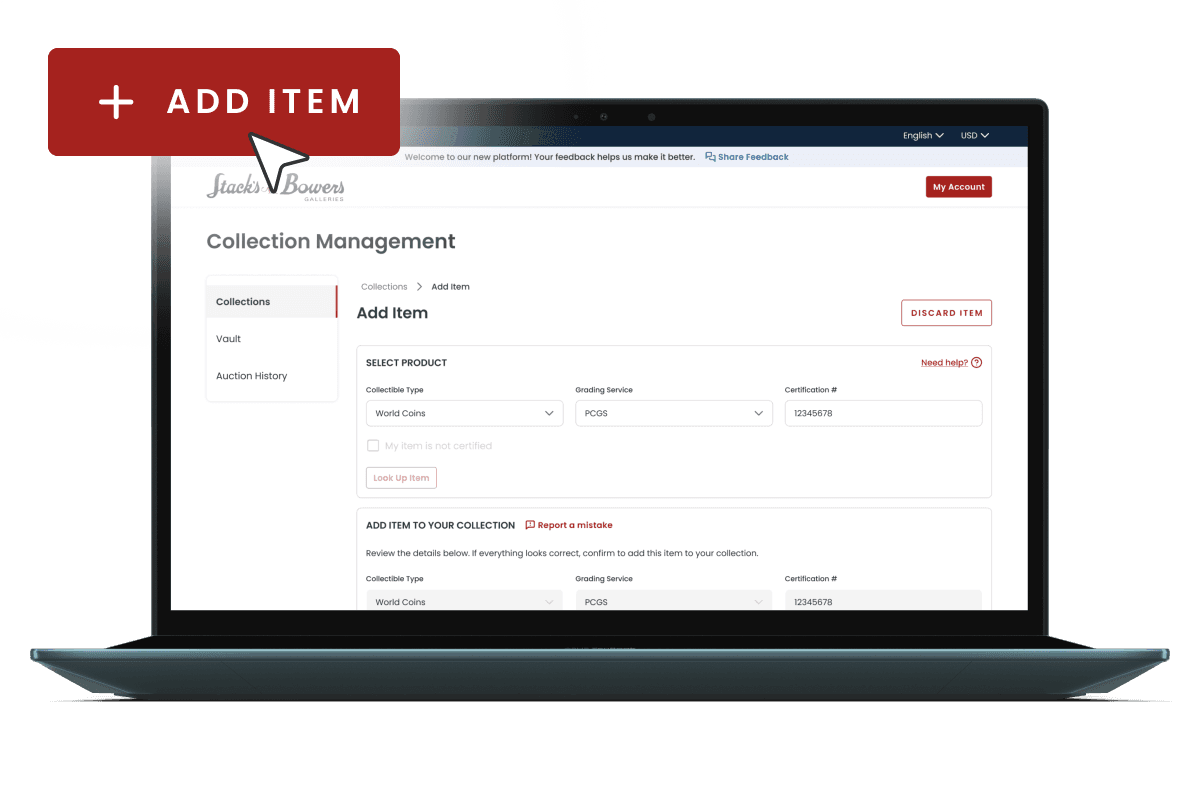
Add Individual Items
Manually enter certified and non-certified items alike. Certified items auto-populate data from top grading services while non-certified items allow you to enter your own data.
Click the Add Item button to upload new collectibles one at a time, complete with images, attributes, and custom Collector's Info that remains private to your collection.
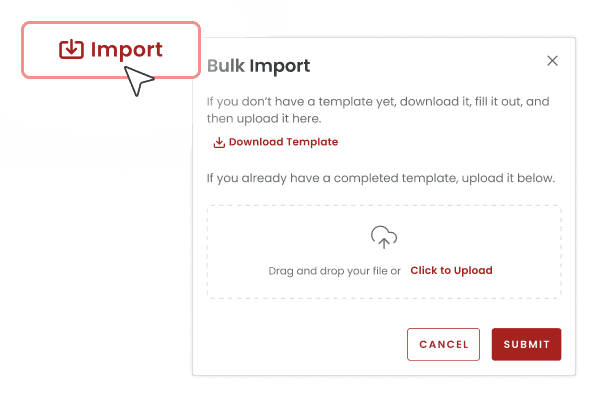
Import Your Entire Collection
Upload your completed CSV template to ingest hundreds of collectibles in seconds — the perfect solution for dealers, auction houses, or power collectors.
Click the Import button to get started.
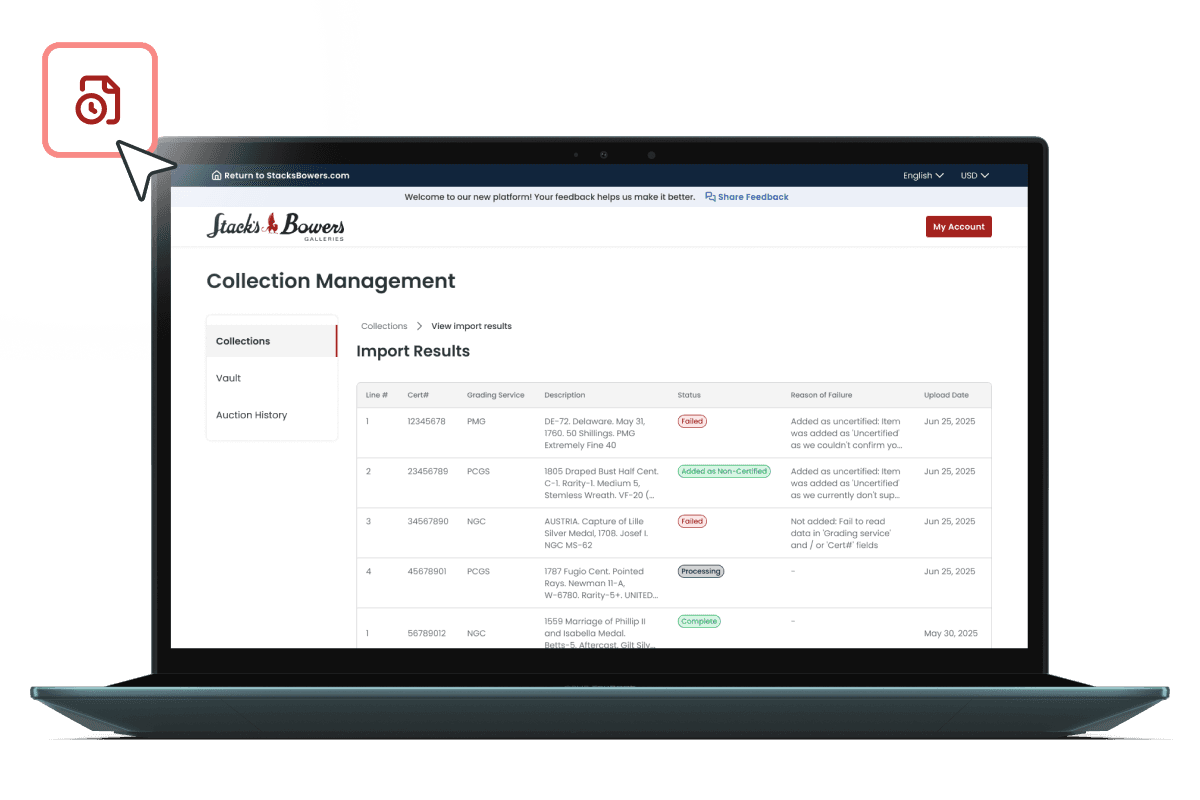
View Your Import Results
Big imports demand a streamlined results view which is why we created Import Results which provides a quick overview of all of your imported items and their current statuses.
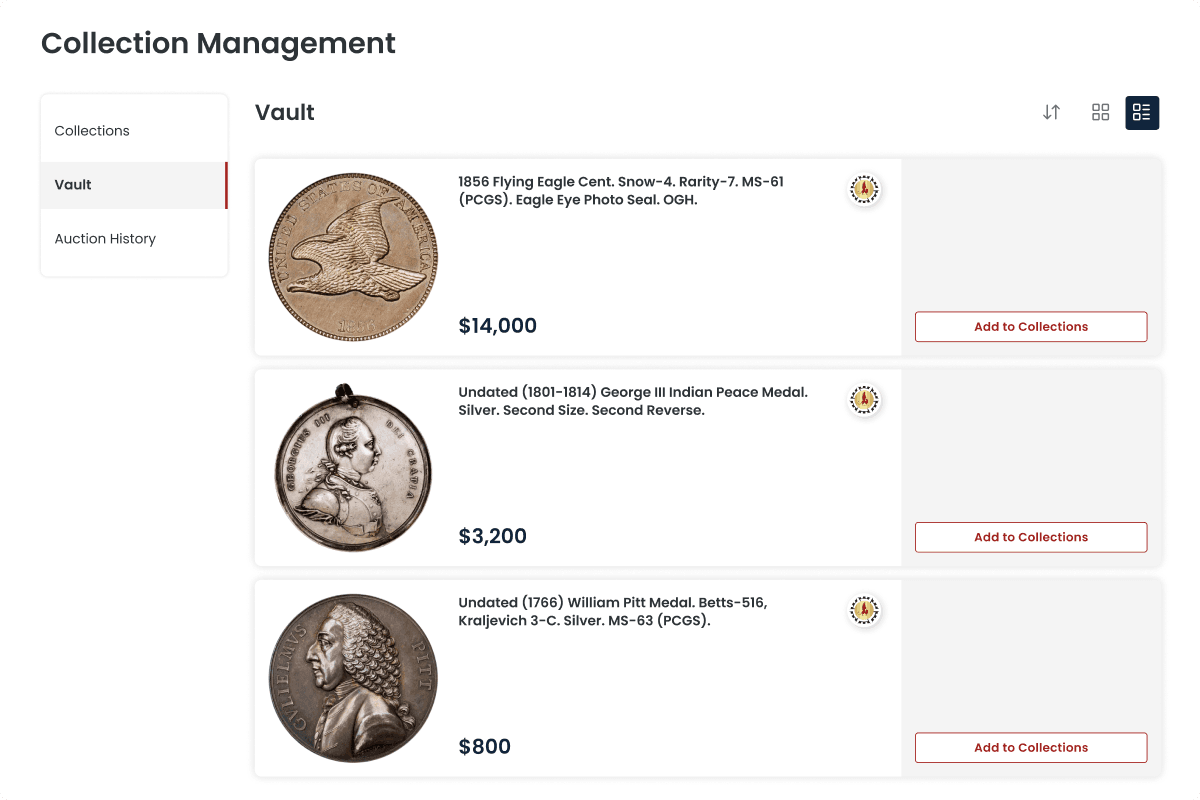
Import Your Vault Items
Sync collectibles you've stored in the Stack's Bowers Galleries Vault directly in Collection Management — no re-entry required. Simply go to your Vault tab and click Add to Collections to make these items a part of your collection.
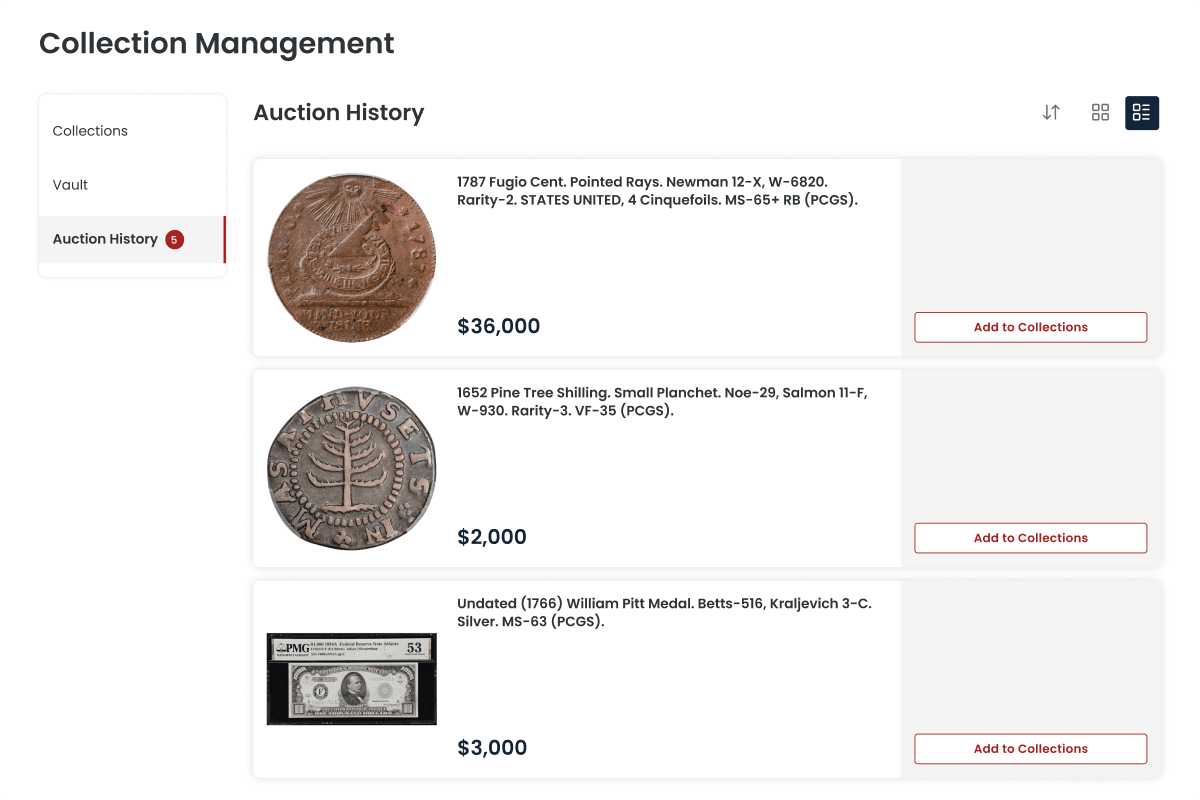
Import Your Auction Winnings
Instantly pull in items you've won in past Stack's Bowers Galleries auctions. Visit the Auction History tab and click Add to Collections.
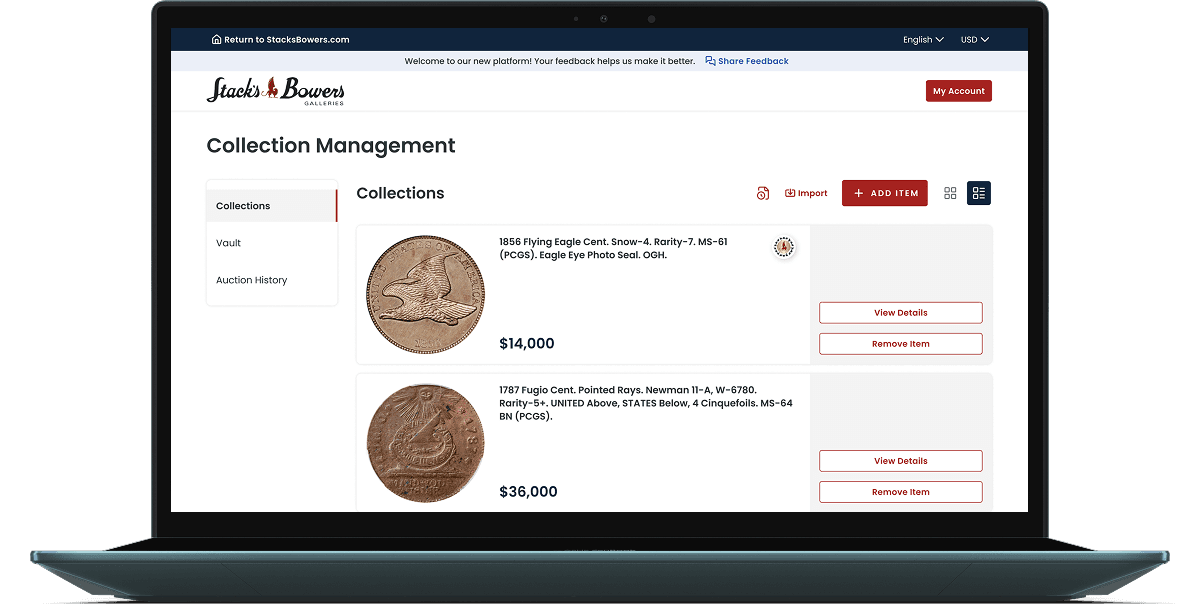
View and Organize All Your Collectibles
Your entire collection, all in one place — searchable, sortable, and fully customizable.
Tag, filter, and edit your items to match your collecting style. Whether you're tracking condition grades, market values, your cost or provenance notes, Collection Management provides a platform for new and serious collectors alike.